Raven Scan starts from VA's decisions, old reports say when they are out of date, and passkeys fill in at sign-in
Raven Scan
Reports start from what VA already decided. If you connected VA.gov, a Raven Scan report you run now starts from VA's own decisions. The summary states your combined rating. A condition VA already granted, even at 0 percent, is no longer suggested as a new claim; the report talks about an increase, or a separate rating for a different problem, instead. A condition VA denied is called denied. Left and right ratings stay separate, every rating is listed, and a 0 percent grant shows as 0 percent. At a 100 percent combined rating, the report says more ratings cannot raise that number and points to what can still change your benefits, such as special monthly compensation and whether VA has found your rating permanent. Deep Review sees the same record and cites it as "VA.gov copy" with its date. Without a VA.gov connection, reports work as before.
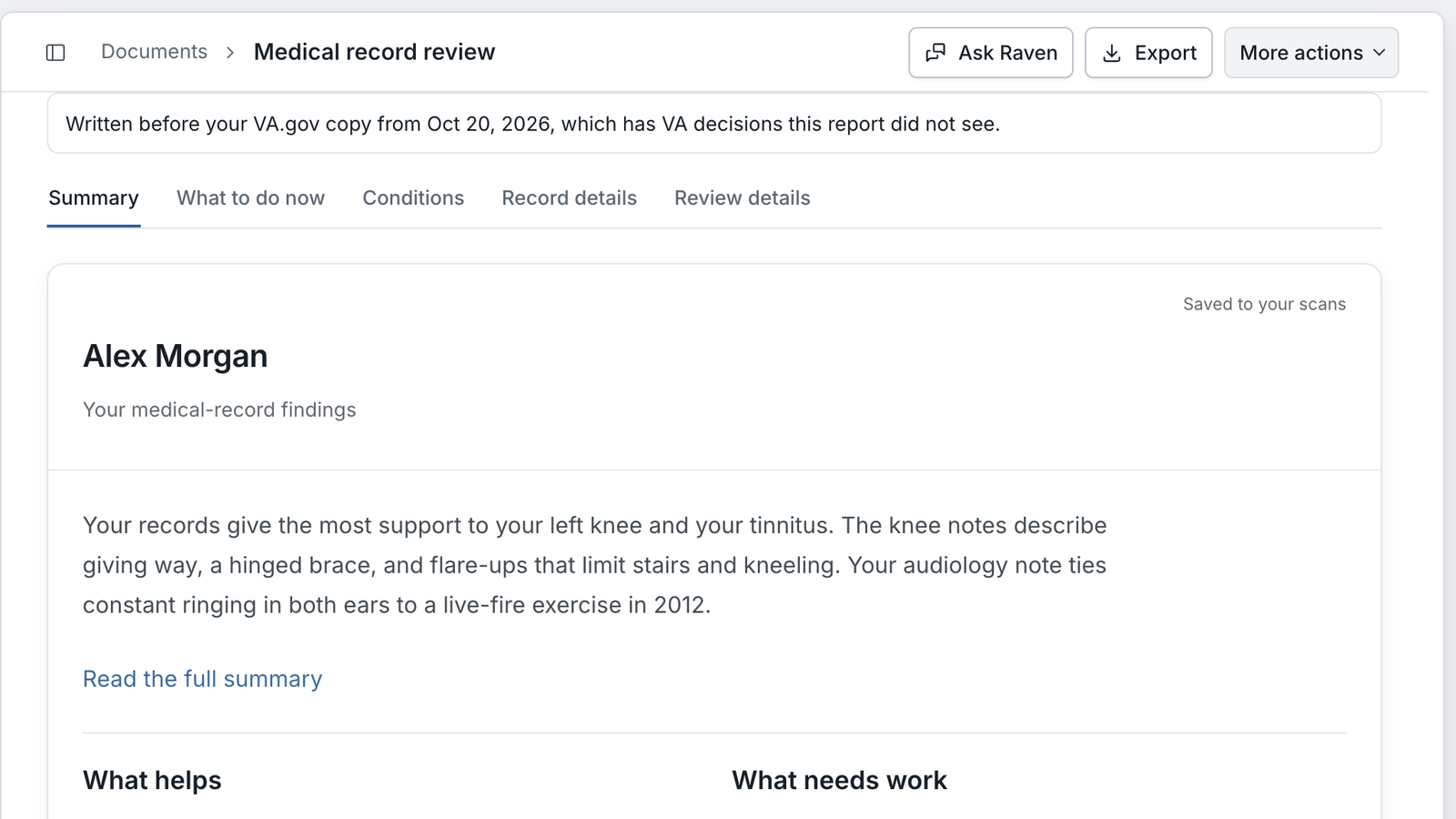
Old reports say when they are out of date. A saved report now tells you in one sentence when something newer covers it. For example, "A newer report from Oct 24, 2026 covers the same records." with a link to the newer report, or "Written before your VA.gov copy from Oct 20, 2026, which has VA decisions this report did not see." You see it under the report in Documents, Earlier reports, above the report itself, and on the first page of the PDF. A scanned file in Documents shows "Out of date" instead of "Ready". Nothing is hidden or deleted, and old reports stay readable.
Citations point to the page that holds the quote. When a report quotes a long note, the citation now points to the page with the quoted words, not only to the note's whole page range. For example, a Deep Review sentence about something said on page 15 of a note that starts on page 11 used to cite "pp. 11-15". It now names page 15 first. This applies to Standard and Deep Review reports you run from now on, and to their PDF and text downloads. Reports you saved before keep their citations.
Documents
Dates that belong to the page. My HealtheVet prints "Report generated by My HealtheVet on VA.gov on" a date at the bottom of every page of a Blue Button file. Pages without a visit date of their own used to take that print date, so old notes showed a recent date in search results and page lists. A page with no visit date of its own now shows no date. Your saved pages update the next time you search.
Medications
Vitamins keep their own names. Search records and Add from my records used to fold Vitamin B12, Vitamin C and other vitamins into one Vitamin D item. Each vitamin now shows on its own. If you already had a vitamin on your list, the others are no longer hidden as "already listed".
Sign-in
Passkeys in the email box. On the sign-in page, a saved Claim Raven passkey now shows in your browser's suggestions when you click the email box. Pick it, confirm with Face ID, Touch ID or your PIN, and you are signed in. The "Sign in with a passkey" button still works.
A passkey saved for you. After you sign in with a password your password manager filled in, your browser may save a passkey for you without asking. Chrome and Safari decide when. You get the usual "A passkey was added to your Claim Raven account" email, and Settings lists it as "Saved at sign-in", where you can rename or remove it.
Removed passkeys stop showing up. When you open Settings, Security, Claim Raven tells your password manager which of your passkeys still work, so it can stop offering one you removed.
Password managers know which box is which. Fourteen password boxes now tell your password manager what they hold, including the reset password page and the change password and change email boxes in Settings. Your password manager can then offer to save your new password after a reset, and update the right saved login when you change it.
Statements
Plain names in the free builder. The free statement builder now says "Personal statement" in its breadcrumb and browser tab, also when you are not signed in, and no longer uses the old Raven Scribe name. Gap Analysis, the evidence checklist and the tool list now say "Write a statement" instead of naming the old statement page.
Look and feel
A darker sidebar and rounder corners. Sidebar labels and icons are now dark instead of grey, and the icons are a little heavier. Buttons, menus, cards and dialogs have rounder corners. Nothing moved; sizes and layout are the same.
Behind the scenes
28 changes went out on November 15. Here is what the ones you do not see do for you.
- Higher security standards. Stronger protections across the app and in how each update is built and released, with ongoing monitoring for unusual activity.
- A more reliable attorney directory. Directory listings refresh more reliably.
- Less that can break. Old code that nothing used anymore was removed.